Reclaim your time.

Remove Reels & Shorts.

Get the iOS app
0 at rest

The algorithm is not your friend. It is a machine that rents your attention by the second. Take the hours back.

They did not steal a minute. They stole a life, one reel at a time.

Short-form video is not entertainment. It is a slot machine pointed at your nervous system. Ripscroll keeps the parts of social media you actually use — messages, search, people — and cuts the feed that was designed to keep you there.

912 hours a year, if you give short video two or three hours a day. That is thirty-eight full days.
28 days to break the habit. The plan is personal. The enforcement is Apple’s Screen Time, not a suggestion.
0 Reels. Zero Shorts. Zero For You. The rest of the app stays. Your logins never touch us.

Mastery is subtraction.

Discipline is not willpower against a billion-dollar recommendation engine. Discipline is removing the machine from the room.

01

Pick the apps that pull you in

Instagram, YouTube, TikTok, Reddit, Snapchat — the ones you open without deciding to.

02

iOS shields the native apps

Screen Time blocks them even when Ripscroll is closed. One tap opens the clean browser instead.

03

Use them without the scroll

A signed filter engine hides Reels, Shorts, Explore, and the rest. Rules update on their own. No app update required.

The app, without the trap.

Real screens from the current build. Same logins, same messages, same search. The feed is simply not there.
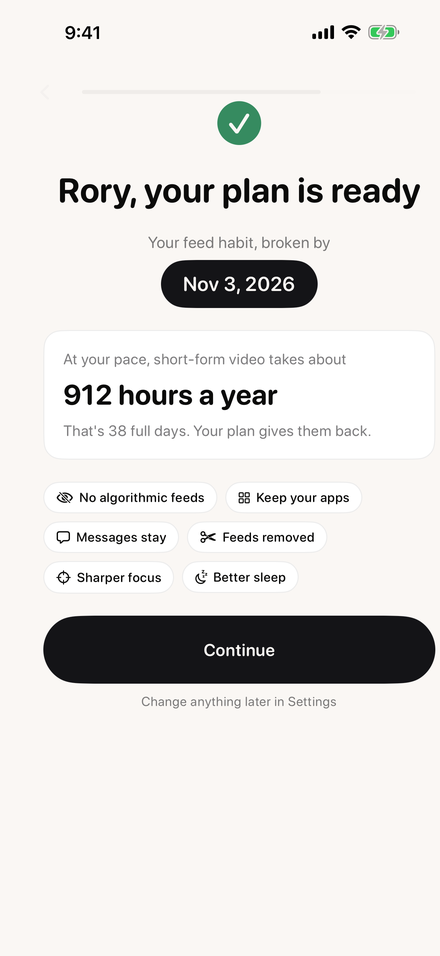
Ripscroll plan screen: Rory, your plan is ready. Your feed habit, broken by Nov 3, 2026. At your pace, short-form video takes about 912 hours a year.
A 28-day plan, sized to your usage.
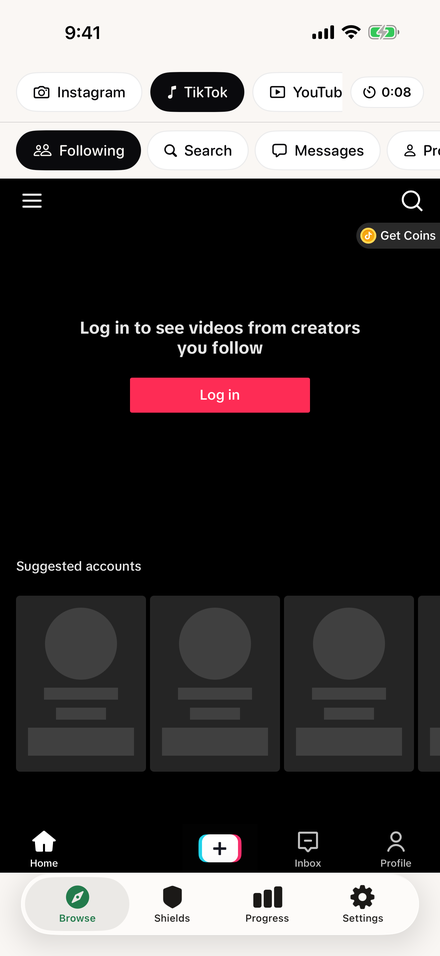
Ripscroll browser on TikTok, landing on Following with the For You, Explore, and LIVE tabs removed.
TikTok lands on Following. No For You. No LIVE.
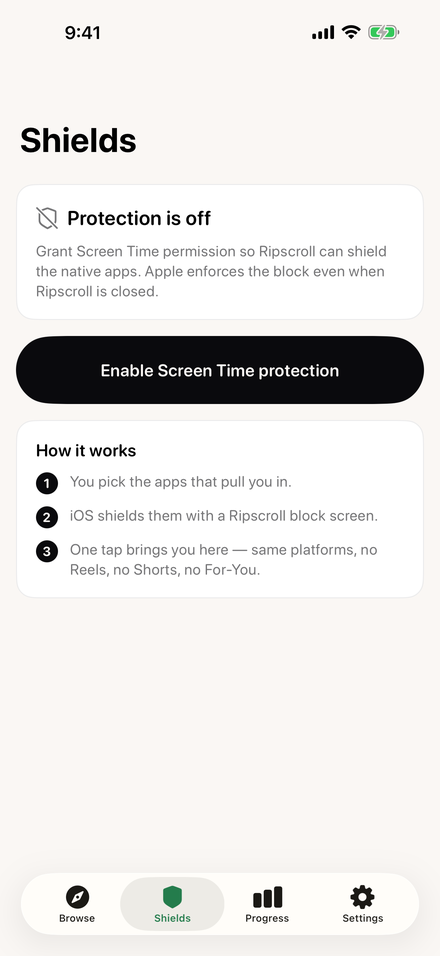
Ripscroll Shields screen explaining Screen Time protection and how it works.
iOS shields the native apps, even when Ripscroll is closed.
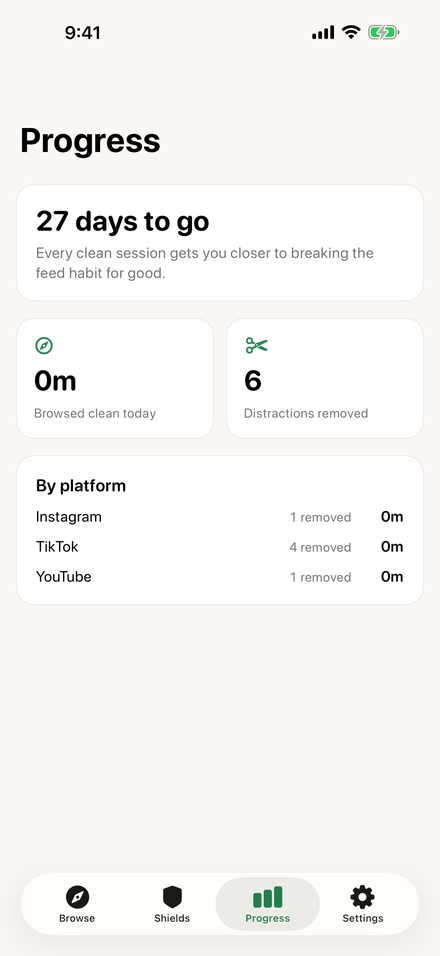
Ripscroll Progress screen: 27 days to go, minutes browsed clean today, distractions removed, by platform.
Clean minutes and distractions removed, per platform.

What goes. What stays.

Every removal is a switch in Settings. Turn any of them back on. Messages, search, and profiles are never touched.

Instagram

Reels tab, Reel cards, Explore grid, suggested posts.

Home feed from people you follow, Messages, Search, Activity, profiles. Stories stay by default.

YouTube

Shorts tab, Shorts shelves, Shorts in search. Home recommendations, if you choose.

Subscriptions, Search, Library, the video you came for.

TikTok

For You, LIVE, Explore.

Following, Messages, Search, profiles.

Reddit

Popular and All.

Your home feed, your subreddits, Messages.

Snapchat

Spotlight.

Chat.

Hold the cursor. Watch the word collapse. That is what the feed does to a day. Let go. It springs back. That is the point.

Reels become yours again.

Your attention is the last unrenewable resource you still own.

Ripscroll does not delete Instagram. It does not lecture you. It gives you the product without the trap, and it keeps every login, cookie, and message on the device. Telemetry is counters of which filters matched — never URLs, never usernames, never the page.

Reclaim the hours Join the TestFlight beta

Straight answers.

Do I give Ripscroll my passwords?
No. You sign in on Instagram, YouTube, TikTok, Reddit, and Snapchat’s own pages inside the browser. The filter engine is switched off on every login and verification page. Cookies never leave the device.
Does it work when Ripscroll is closed?
Yes. The shields are Apple’s Screen Time, applied to the native apps you picked. iOS enforces them. One tap on the shield opens the same platform inside Ripscroll.
What happens when Instagram changes its layout?
A new signed rulepack ships to the app over the air. Rulepacks are data, not code, verified against a key pinned in the app. No App Store update needed.
What does Ripscroll collect?
Your onboarding plan (optional first name, the platforms you picked, a usage band, your reasons, a target date), a random install identifier, and counts of which filter rules matched. No URLs, no usernames, no page content, no browsing history. The ingest API rejects anything else. Full privacy policy.
Which iPhone and iPad does it need?
iOS 17 or later. Screen Time shields need iOS 17 too; the filtered browser works without them.